Next.js Rendering Explained
Mastering Next.js Rendering: Why SSR/SSG Are Not Enough in 2026
You're building a website with Next.js. The homepage loads instantly, SEO looks great, but when users add items to the cart, it takes forever? Or the opposite: your admin dashboard feels smooth, but Google can't index your content?
This is the core challenge of modern web rendering: balancing performance, SEO, fresh data, and server resources.
In the past, we only had two choices: render everything on the server (SSR) or let the client handle it (CSR). Next.js has completely changed the game by allowing you to combine multiple rendering strategies within the same application — even within the same route.
Today, we’ll walk through the evolution of rendering strategies in Next.js (based on the App Router — default since Next.js 13+), from traditional approaches to the most advanced one: Partial Prerendering (PPR) — considered the “ultimate weapon” in 2026.
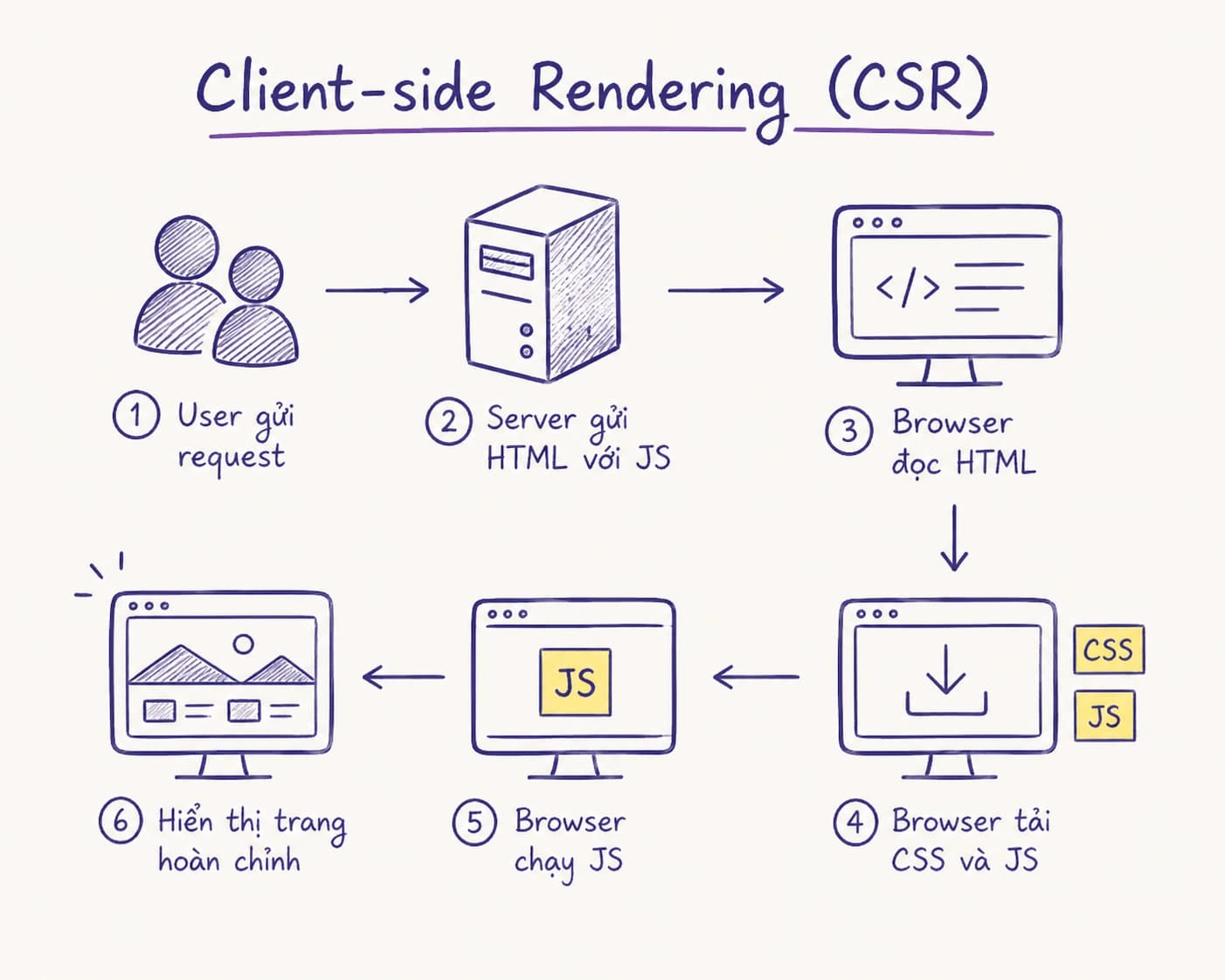
1. Client-Side Rendering (CSR) – “Let the browser handle everything”
How it works:
The server returns a nearly empty HTML file + a JavaScript bundle. The browser loads JS, fetches data via APIs, and renders everything on the client.
This is the default approach of traditional React SPA.
Pros:
- Smooth interactions after load (no page reload)
- Reduces server load (serves static assets only)
Cons:
- Slow initial content rendering (FCP)
- Poor SEO (crawlers must wait for JS)
- Heavily dependent on JavaScript → bad for slow devices/networks
When to use?
Purely interactive parts: complex forms, real-time dashboards, chat widgets, infinite scroll.
Next.js tip: Use 'use client' directive to mark Client Components.
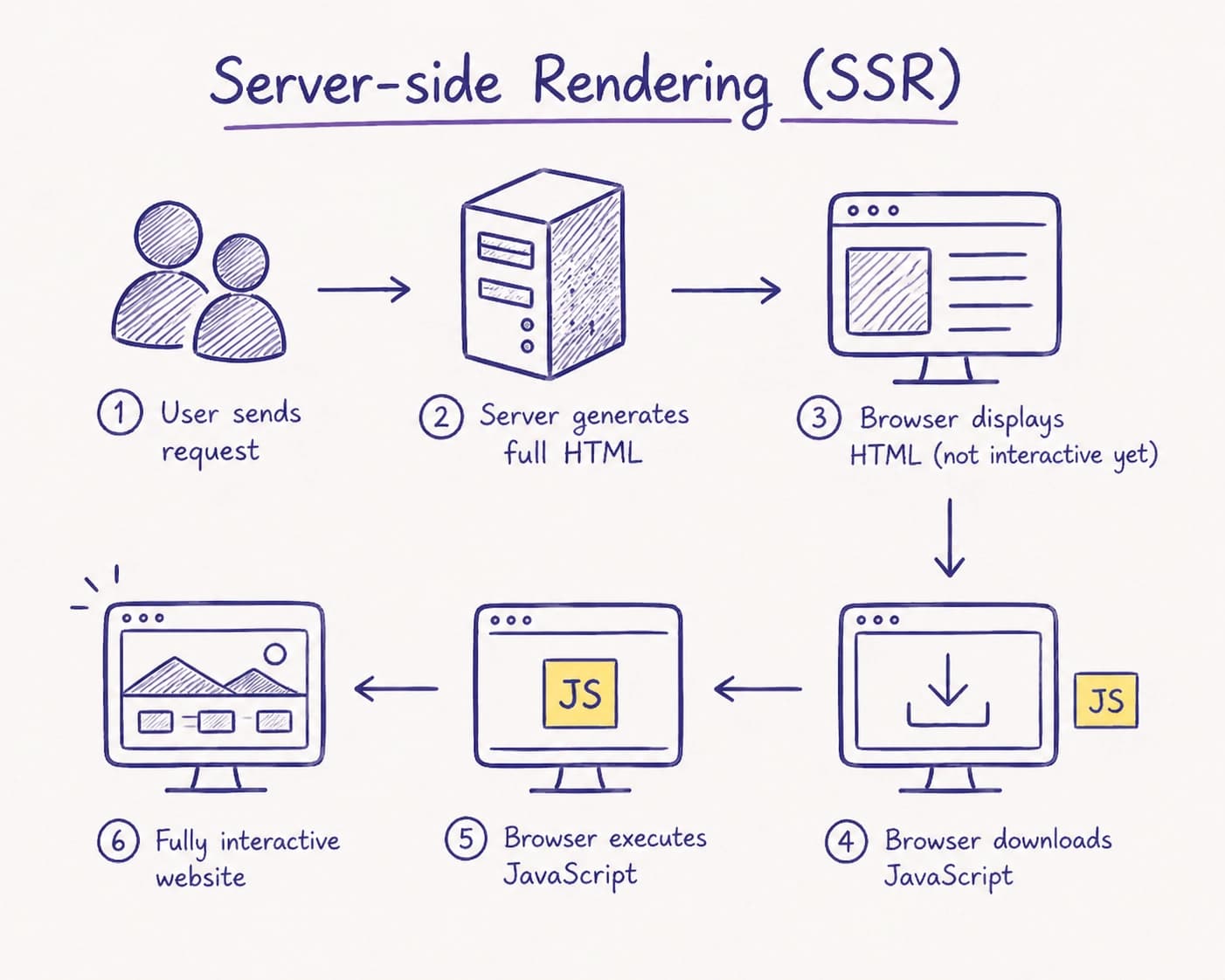
2. Server-Side Rendering (SSR) – “Cook per request”
How it works:
For each request, the server fetches data, renders full HTML, and sends it to the client. Then hydration attaches JS events.
Pros:
- Excellent SEO (HTML is ready)
- Always fresh data (user-specific, cookies, headers...)
Cons:
- High server cost (render per request)
- Slower TTFB if data is complex
When to use?
When each request must return different HTML based on user/session/auth and you need fresh data immediately (cannot cache like SSG/ISR).
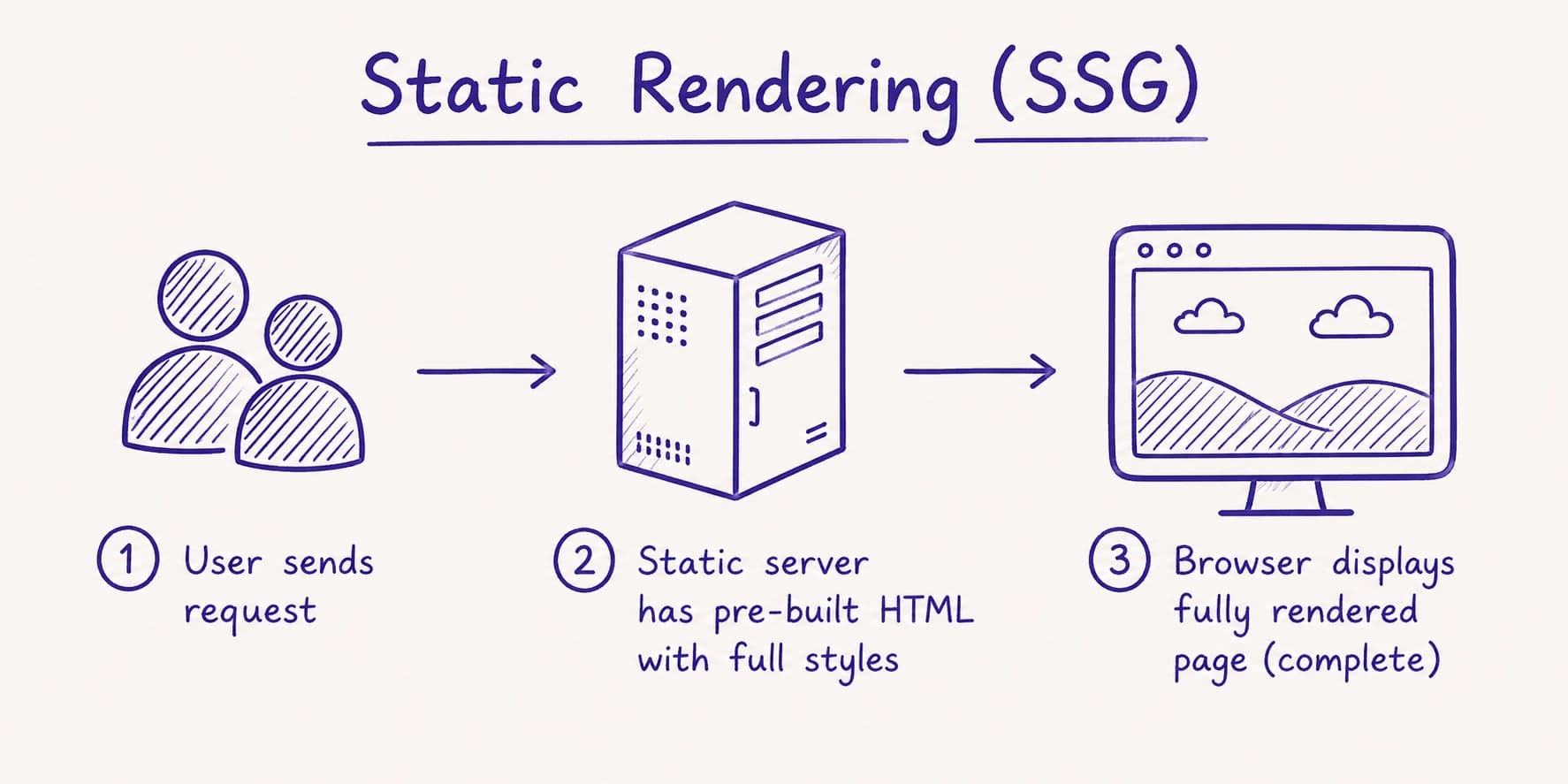
3. Static Site Generation (SSG) – “Cook once, serve forever”
How it works:
Pages are generated into static HTML at build time. Server/CDN simply serves static files.
Pros:
- Extremely fast (low TTFB, edge caching)
- Excellent SEO
- Minimal server cost
Cons:
- Not suitable for frequently changing data (requires rebuild)
When to use?
Blogs, docs, landing pages, static product pages, about pages...
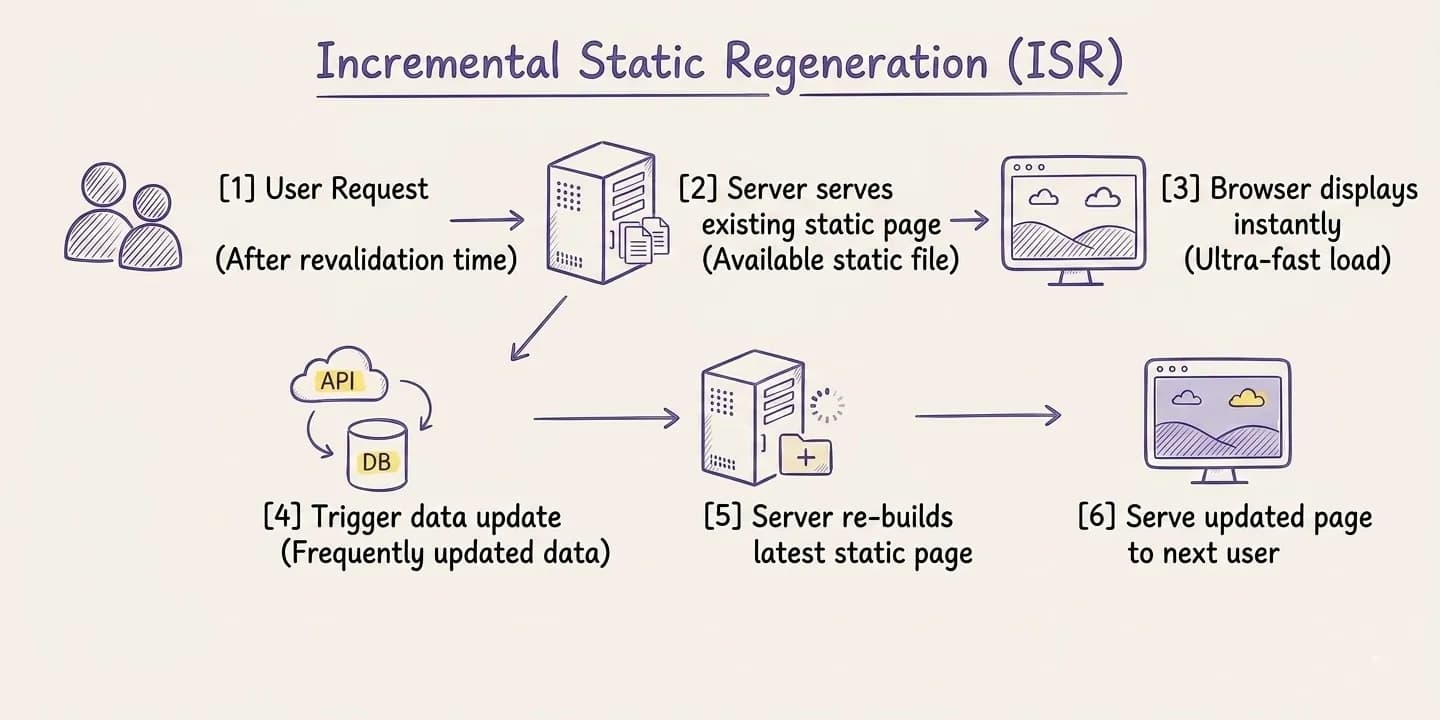
4. Incremental Static Regeneration (ISR) – “Static but refreshable”
How it works:
Combines SSG with the ability to regenerate pages periodically or on-demand.
Example: revalidate: 3600 or revalidatePath() / revalidateTag().
Pros:
- Keeps SSG speed + SEO
- Allows updates without full rebuild
Cons:
- Temporary stale data
- Requires tuning revalidation timing
When to use?
News, product listings, frequently updated blogs.
5. Partial Prerendering (PPR) – The “Ultimate Weapon” in 2026
PPR is the biggest leap from experimental in Next.js 14 to stable in Next.js 15/16. It solves the classic problem: you can’t have both static speed and dynamic data in the same route — until now.
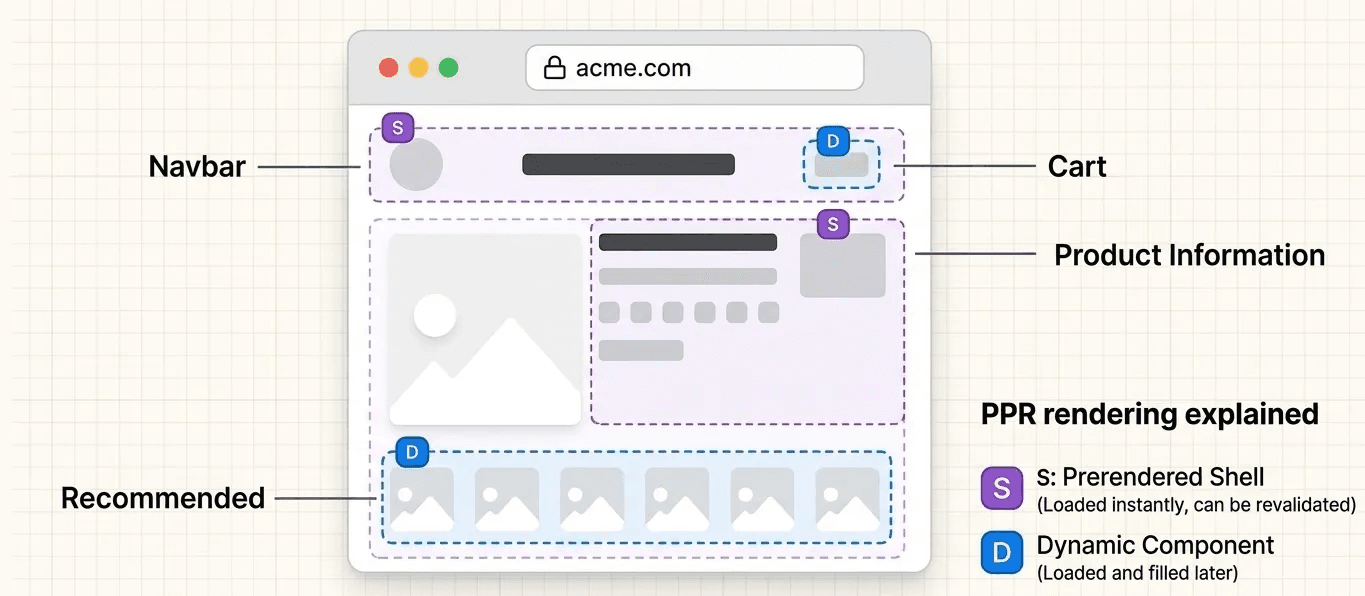
How it works (simplified):
- Build time: Generates a static HTML shell (header, footer, above-the-fold content)
- Request time: Dynamic parts (wrapped in
<Suspense>) are rendered and streamed
Result: users see content instantly, and dynamic parts load progressively without layout shift.
Key advantages:
- Combines SSG (speed + SEO) + SSR (fresh data) + CSR (interactivity)
- Single HTTP request (no extra client round trips)
- Smooth UX via streaming
- Works great with CDN (cached shell)
Cons:
- Requires understanding Suspense boundaries
- Slightly harder to debug
When to use?
Most real-world pages in 2026:
- E-commerce (static description + dynamic price)
- Dashboards (static layout + personalized data)
- Blogs with dynamic comments
Quick Comparison Table
| Strategy | Render Time | Initial Speed | SEO | Fresh Data | Server Load | Use Case |
|---|---|---|---|---|---|---|
| CSR | Client | Slow | Poor | High | Low | Interactive dashboards |
| SSR | Per request | Medium | Good | Highest | High | Personalized pages |
| SSG | Build time | Very fast | Excellent | Low | Very low | Blogs, landing pages |
| ISR | Build + revalidate | Very fast | Excellent | Medium | Low | News, catalogs |
| PPR | Hybrid | Very fast | Excellent | High | Medium | Modern hybrid apps |
Conclusion & Practical Advice
There is no “one-size-fits-all” solution. Next.js allows you to combine everything:
- Use SSG + ISR for public content
- Use PPR as the default for complex routes
- Use SSR only when truly needed
- Use CSR for interactive parts only
Pro tips:
- Start with PPR + Suspense (future direction)
- Design components with a Server-first mindset
- Always measure performance (Lighthouse, Vercel Analytics, Speed Insights)
Hopefully, this guide helps you confidently choose the right rendering strategy to build faster, more SEO-friendly, and better user experiences.